Fee structures by grade
Define fee components per grade, with term schedules. Set them once for the grade instead of student by student.


Set up grade-wise fee structures and term schedules once, then see each student's dues as paid, partial or pending. The receipts register is searchable and exports to Excel or CSV for your books.

Open the dues for Class 9 and see who is paid, partial or pending for Term 2.
A parent at the counter asks about a receipt from June. Search the receipts register and pull it up.
Management has revised the transport component. Update the fee structure and term schedule for the grades it affects.
A question about a changed amount comes up. The audit log shows who changed the fee record and when, so the facts are clear.
Export the receipts register to Excel for the auditor and the management meeting.
Define fee components per grade, with term schedules. Set them once for the grade instead of student by student.
Each student's fees show as paid, partial or pending, with what is still due.
Find any receipt in the register and export the list to Excel or CSV for reconciliation or reporting.
Parents see every fee for each of their children, so they can check the status themselves before calling the office.
The audit log records who changed which fee record, and when. Useful when management or an auditor asks.
Fee collection appears on the analytics dashboard alongside enrolment and attendance, so management sees the same numbers you do.
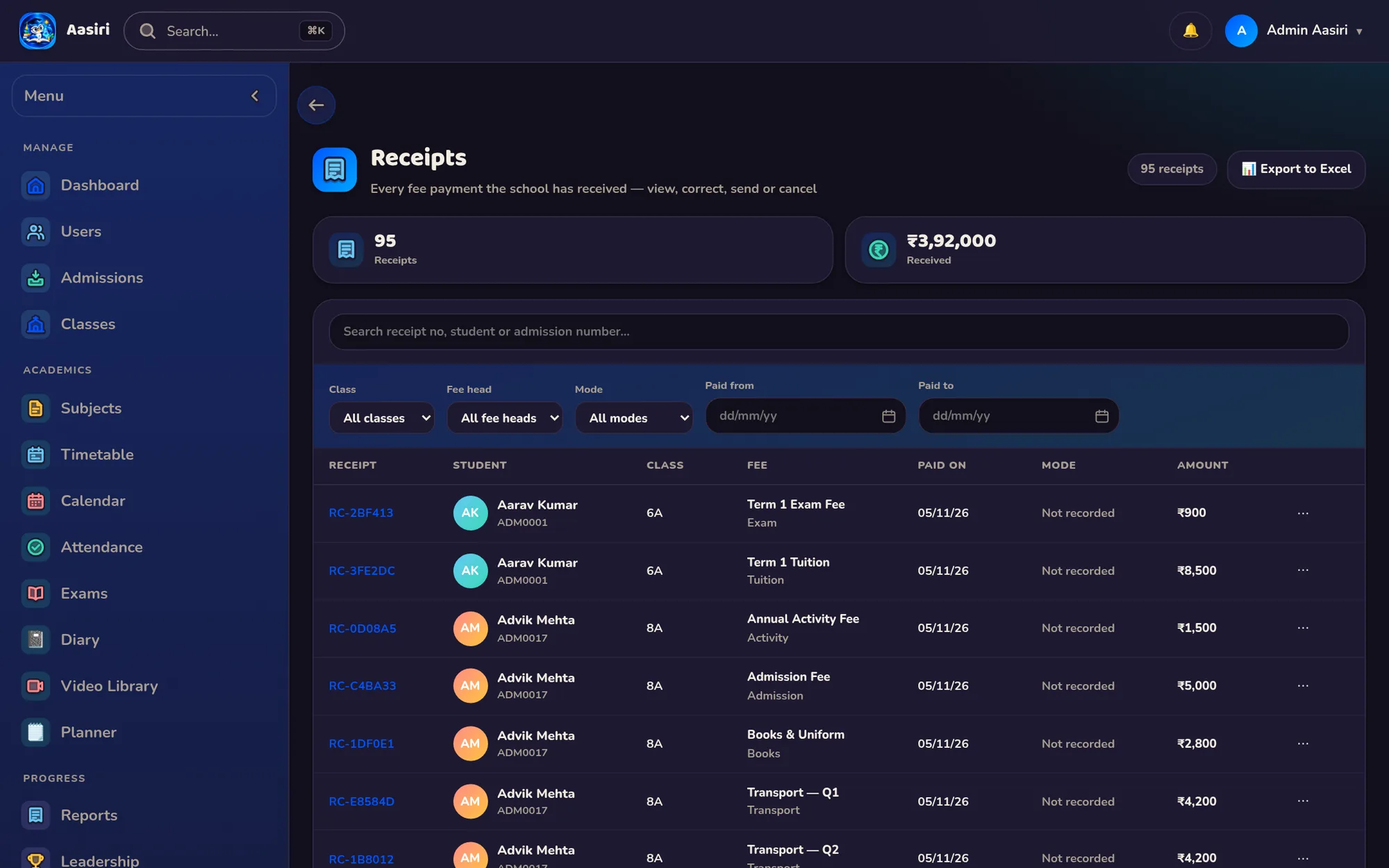
Yes. The receipts register is searchable and exports to Excel or CSV, so you can work with the data in the tools you already use.
Yes. Fee structures are grade-wise, with their own components and term schedules. Each student's dues then show as paid, partial or pending.
Access is role-based, so only staff whose role allows it can work with fees. Every change is recorded in the audit log with who made it and when.

A 30-minute demo with your classes, your fee structure and your bus routes. No obligation.